Reminder Function
Update Date: 11/24/2025
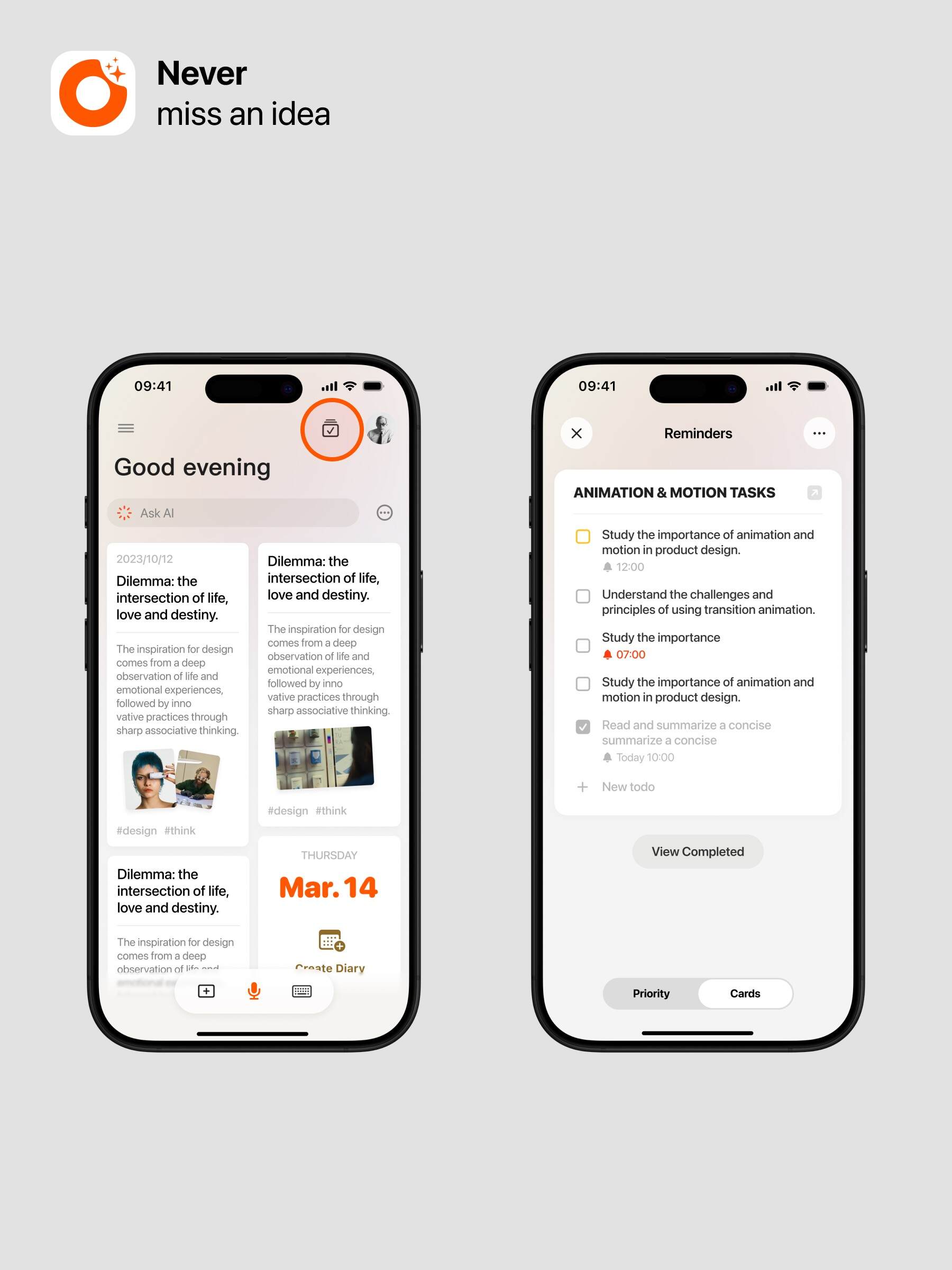
Voice Input: First speak out the to-do content (learn quick input methods).
- Generate To-Do Card: Click to create an intelligent to-do card.
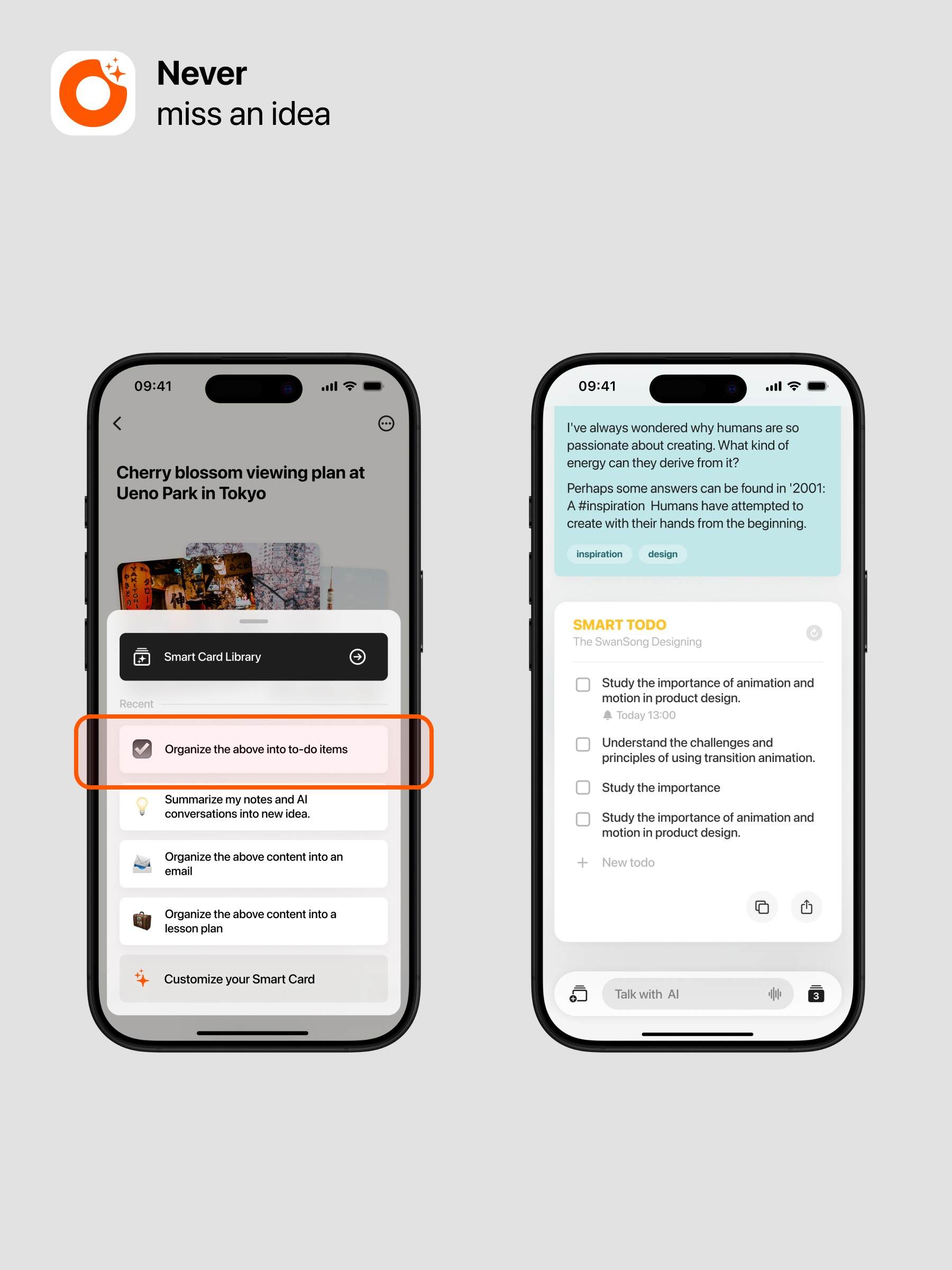
How to Manage To-Dos?
- Task Cards: View all synced to-do cards.
- Priority Management: Manage the priority of all to-dos.
- Swipe left on a to-do to switch it to “Now” or “Later.”
- Swipe right to multi-select to-dos.
Advanced Features
- Generate To-Dos in Conversation: You can directly ask ideaShell to create to-dos within chat.
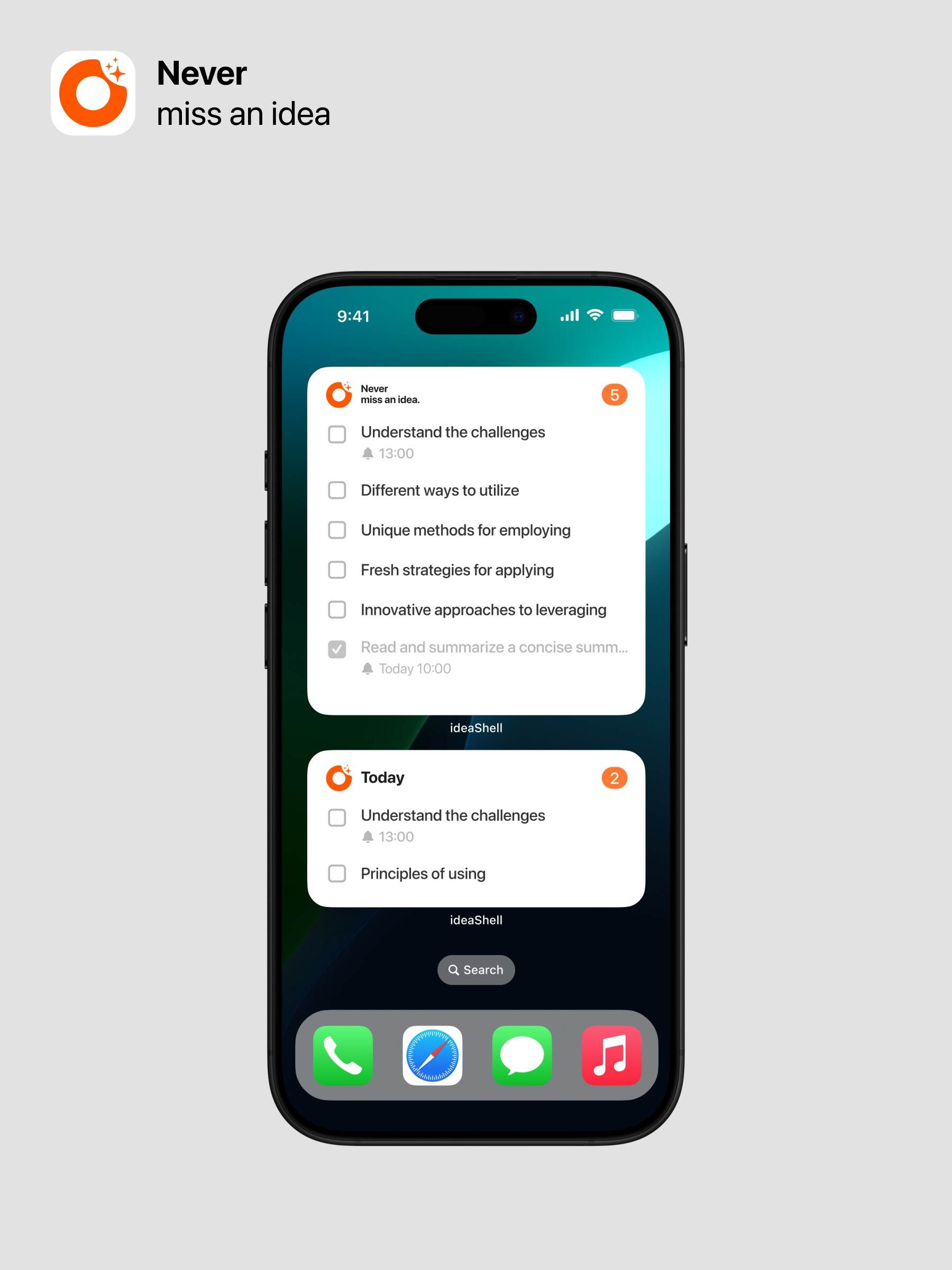
- Add Widgets: View and manage to-dos through widgets.
- Long press the screen, then tap the top left corner to add a widget.
- Select ideaShell.
- Tap to add the to-do widget to view and manage your to-dos.
Customize Widget To-Do Display:
- Long press the widget.
- Tap “Edit Widget.”
- Choose the to-do list you want to display.