Scan Documents and Doodle
Update Date: 11/24/2025
In addition to text, recordings, and images, you can also add document scanning and drawing features to your notes.
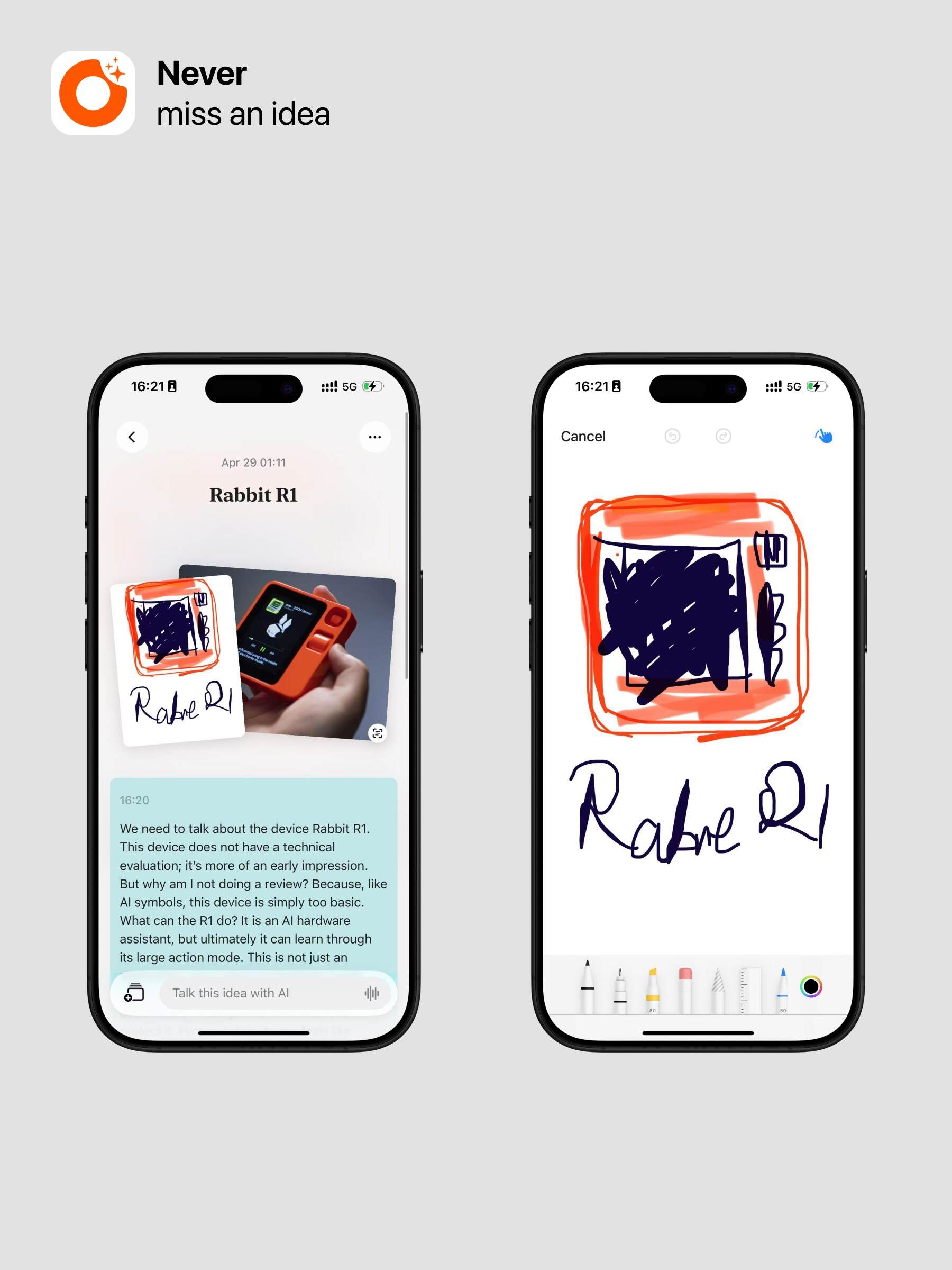
When creating a new note, you can choose to Scan Document or Sketch.
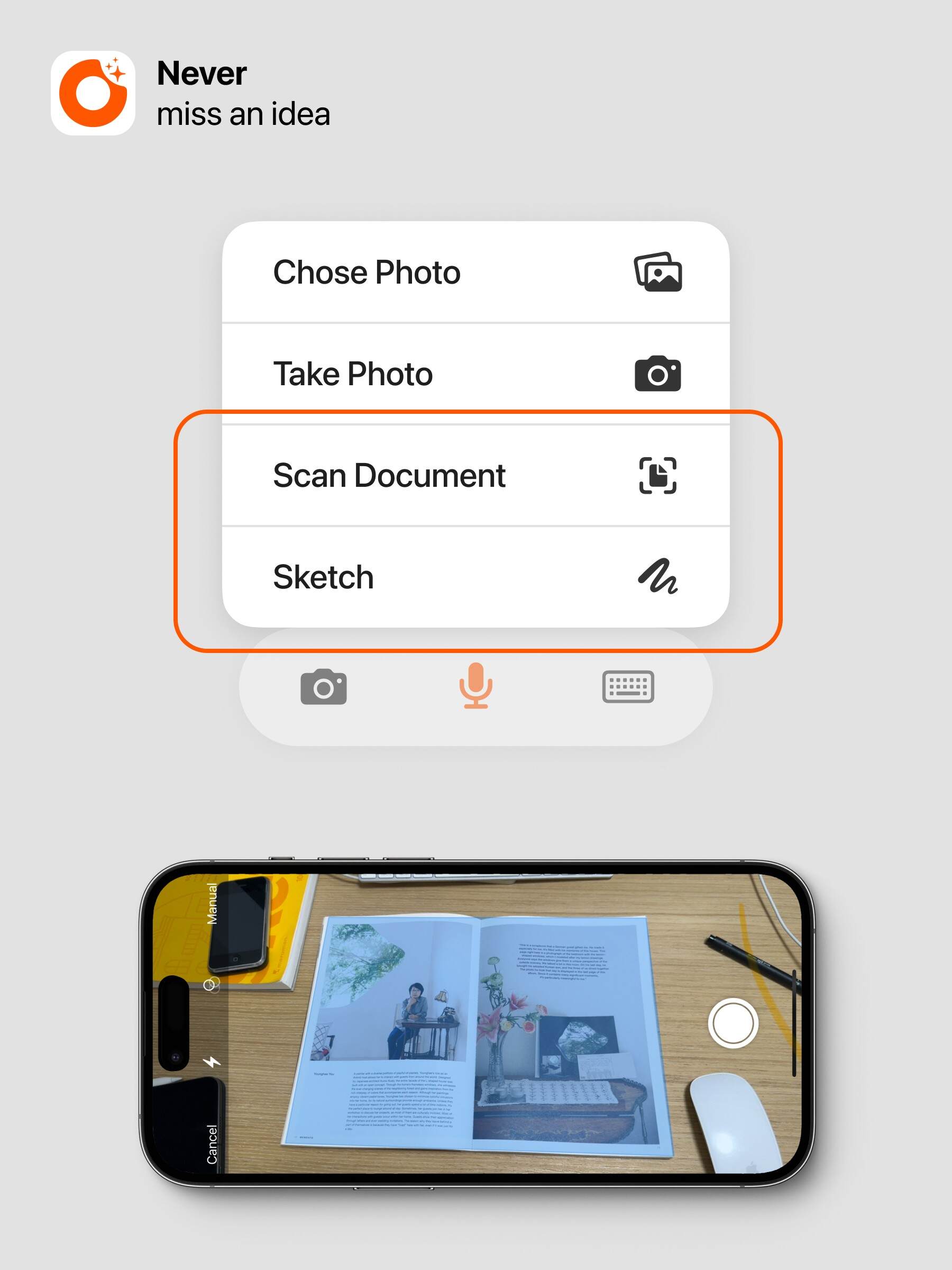
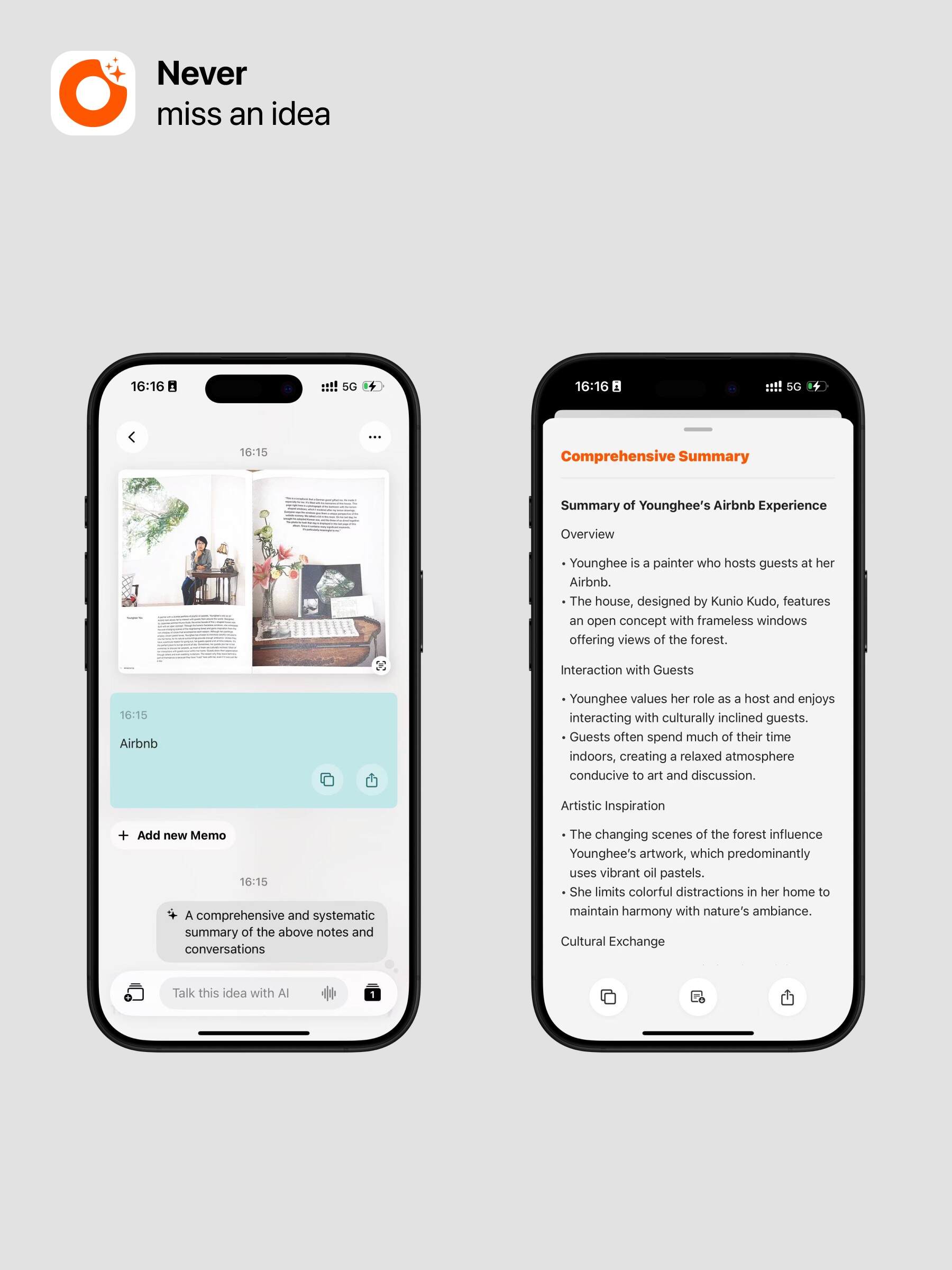
The powerful document scanning feature automatically processes your images to present a cleaner “document” effect and can even recognize the text within. For example, after scanning, you can have Ask AI help organize the content or translate the text into a language you understand.
Additionally, the doodle feature is well-developed, offering a variety of brush options to better express your creativity and ideas. You can also use quick sketches to capture more details during recordings.